
TL;DR: Rocket Money is free to download and use for basic features like budgeting and subscription tracking. The Premium plan uses a “pay what you think is fair” model, typically ranging from $6 to $12 per month (or $48–$96 per year). Bill negotiation is available to all users but takes a percentage of savings. There are no hidden fees, and you can cancel anytime without penalty.
Last reviewed and updated: April 2026 — verified against current regulatory guidance and financial data.
Table of Contents
- What Is Rocket Money?
- Understanding Rocket Money’s Pricing Model
- What’s Included in the Free Version
- Rocket Money Premium: Costs and Features
- Bill Negotiation Fees: What Rocket Money Takes
- Free vs. Premium: Side-by-Side Comparison
- Is Rocket Money Premium Worth It?
- Cancellation and Refund Policies
- Rocket Money vs. Competitors: Price Comparison
- Is Rocket Money Safe?
- Frequently Asked Questions
How much does Rocket Money charge? Rocket Money is free to download and use for basic features. Its Premium subscription uses a flexible “pay what you think is fair” pricing model, generally ranging from $6 to $12 per month. Bill negotiation charges a separate percentage-based fee on any savings achieved.
This guide draws on a thorough analysis of Rocket Money’s current pricing tiers, feature sets, and fee structures, cross-referenced with official Rocket Money documentation and consumer finance resources as of 2026. Whether you’re considering the free plan or weighing the Premium upgrade, you’ll find every cost spelled out clearly below.
What Is Rocket Money?
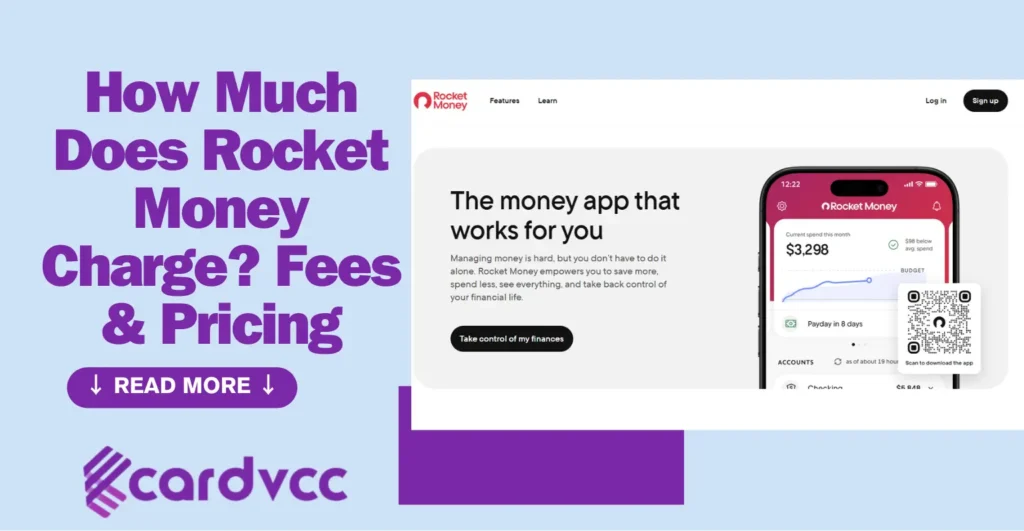
Rocket Money is a personal finance app that helps you track subscriptions, create budgets, monitor your credit score, and negotiate lower bills. It was formerly known as Truebill before Rocket Companies — the parent company behind Rocket Mortgage — acquired it in 2022.
Today, over 10 million people use Rocket Money to consolidate their financial lives into a single dashboard. The app connects to your bank accounts and credit cards, then automatically categorizes transactions and identifies recurring charges. According to Rocket Money, the platform has helped users save over $880 million in canceled subscriptions.
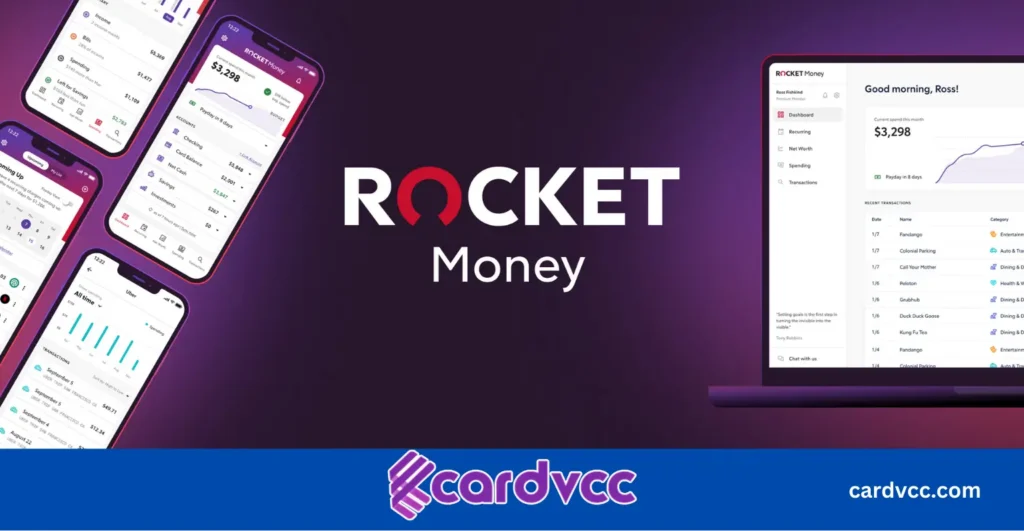
Many people believe Rocket Money is just a subscription cancellation tool. In reality, it’s a comprehensive financial hub that includes budgeting, savings automation, net worth tracking, and credit monitoring. Understanding the full scope of what it offers is essential before evaluating whether its fees make sense for you.
Understanding Rocket Money’s Pricing Model
Rocket Money takes a different approach to pricing than most subscription apps. Instead of charging a single fixed monthly fee for Premium, it uses a “pay what you think is fair” model. This means you choose your own monthly price within a suggested range.
Here’s how the pricing breaks down:
- Free plan: $0 — core features with no credit card required
- Premium plan: Typically $6 to $12 per month (you choose your price)
- Annual Premium: Available at a discount when paid upfront for 12 months
- Bill negotiation: Separate fee — a percentage of the savings Rocket Money negotiates on your behalf
What most guides don’t mention is that the “pay what you think is fair” range is subject to change and may vary based on when you sign up or what promotions are active. Some users report seeing ranges as low as $4/month, while others see options up to $14/month. The exact range Rocket Money presents to you may differ from what someone else sees.
This flexible pricing model means two people can use identical Premium features while paying different amounts. It’s an unusual strategy in the fintech space, and it’s one of the reasons Rocket Money stands out from competitors with rigid pricing tiers.
What’s Included in the Free Version
Rocket Money’s free plan is genuinely useful — not a stripped-down teaser designed to force upgrades. Here’s what you get at no cost:
Account Linking and Transaction Tracking
You can link multiple bank accounts, credit cards, and investment accounts. The app automatically pulls in transactions and categorizes them. This gives you a single view of your entire financial picture without switching between banking apps.
Subscription Detection and Monitoring
Rocket Money scans your linked accounts to identify recurring charges. It flags active subscriptions, shows how much each one costs, and alerts you before renewal dates. This feature alone helps many users discover charges they forgot about. If you’ve ever noticed a mysterious charge on your credit card and wondered where it came from, this kind of monitoring can prevent that confusion.
Basic Budgeting Tools
The free plan includes budget creation by category. You set spending limits for groceries, dining out, entertainment, and other categories. The app tracks your progress throughout the month and notifies you when you’re approaching your limit.
Bill Reminders
You receive alerts before bills are due, helping you avoid late fees. This is a simple but effective feature that keeps your payment schedule organized.
Spending Insights
The free version generates basic spending reports that show where your money goes. You can see trends over time and identify areas where you’re overspending.

The free plan is a strong starting point. However, it lacks some of the most valuable features — like automatic subscription cancellation, credit score monitoring, and custom budget categories — which require a Premium upgrade.
Rocket Money Premium: Costs and Features
The Premium plan is where Rocket Money unlocks its full potential. Here’s exactly what you pay and what you get in return.
How Much Does Rocket Money Premium Cost Per Month?
Premium pricing uses the “pay what you think is fair” approach. The typical range falls between $6 and $12 per month. Rocket Money also offers an annual billing option that reduces the effective monthly cost. Annual pricing generally ranges from approximately $48 to $96 per year, depending on the tier you select.
A common misconception is that choosing the lowest price tier gives you fewer features. That’s not the case. Every Premium subscriber gets the same features regardless of what they pay. The price you choose simply reflects what you feel the service is worth.
Premium Features You Unlock
Upgrading to Premium gives you access to these additional tools:
- Subscription cancellation: Rocket Money’s team will cancel unwanted subscriptions on your behalf — you don’t have to call companies or navigate cancellation flows yourself
- Custom budget categories: Go beyond basic categories with fully customizable budget tracking
- Credit score monitoring: Track your credit score with regular updates directly in the app
- Financial goal plans: Set and track specific savings goals with automated contributions
- Real-time account syncing: Get faster, more frequent updates on your account balances and transactions
- Net worth tracker: See your complete financial picture, including assets and liabilities
- Complete transaction control: Get detailed spending alerts and advanced categorization
- Priority customer support: Access faster response times from the support team
Monthly vs. Annual Billing
| Billing Option | Typical Price Range | Effective Monthly Cost |
|---|---|---|
| Monthly | $6 – $12/month | $6 – $12 |
| Annual | $48 – $96/year | $4 – $8 |
Choosing annual billing can save you up to 30% compared to paying monthly. If you plan to use Rocket Money long-term, the annual plan offers better value.
Bill Negotiation Fees: What Rocket Money Takes
One of Rocket Money’s most popular features is bill negotiation, and here’s what many people don’t realize: bill negotiation is available to all users, not just Premium subscribers.
How Bill Negotiation Works
Rocket Money’s team of negotiators contacts your service providers — think internet, cable, phone, and satellite companies — to negotiate lower rates on your behalf. You don’t have to make a single phone call. The negotiators handle everything.
What Does Rocket Money Charge for Bill Negotiation?
Rocket Money charges a percentage-based fee on the savings they achieve. This fee is typically around 30–60% of the first year’s savings (the exact percentage may vary). Here’s the key detail: you only pay if they successfully lower your bill. If the negotiation doesn’t result in savings, you owe nothing.
For example, if Rocket Money negotiates your internet bill down by $30 per month ($360 per year in savings), and the fee is 40% of first-year savings, you’d pay $144 to Rocket Money. You’d still pocket $216 in net savings that year — and the full $360 in savings every year after that.
This fee structure is separate from the Premium subscription cost. Even if you’re on the free plan, you can request bill negotiation and only pay the success-based fee. If you’ve ever been frustrated by unexpected charges on your debit card, having someone negotiate lower bills for you can feel like a relief.
Free vs. Premium: Side-by-Side Comparison
This table gives you a clear view of exactly what each plan includes:
| Feature | Free Plan | Premium Plan |
|---|---|---|
| Cost | $0 | $6–$12/month (you choose) |
| Account Linking | ✔ | ✔ |
| Transaction Tracking | ✔ | ✔ (real-time syncing) |
| Subscription Detection | ✔ | ✔ |
| Subscription Cancellation | ✘ | ✔ |
| Basic Budgeting | ✔ | ✔ |
| Custom Budget Categories | ✘ | ✔ |
| Bill Reminders | ✔ (basic) | ✔ (custom) |
| Bill Negotiation | ✔ (percentage fee on savings) | ✔ (percentage fee on savings) |
| Credit Score Monitoring | ✘ | ✔ |
| Savings Goals & Automation | ✘ | ✔ |
| Net Worth Tracker | ✘ | ✔ |
| Spending Insights | Basic | Advanced |
| Customer Support | Standard | Priority |
The free plan covers the essentials. Premium adds the automation, depth, and proactive features that turn Rocket Money from a tracking tool into a money-saving engine.
Is Rocket Money Premium Worth It?
This is the question everyone asks, and the honest answer depends on your situation. Here’s a practical framework to decide.
When Premium Pays for Itself
According to a 2024 CNET consumer study, the average American spends roughly $200 per year on subscriptions they don’t actively use. If Rocket Money helps you cancel even one or two forgotten subscriptions, the Premium fee pays for itself almost immediately.
Consider this scenario: You’re paying $15.99/month for a streaming service you haven’t watched in three months and $9.99/month for a fitness app you downloaded during a free trial. That’s about $26/month in wasted subscriptions. Canceling both saves you $312 per year. Even at the highest Premium price of $12/month ($144/year), you’d still net $168 in savings.
When the Free Plan Is Enough
If you already track your subscriptions manually and rarely sign up for new services, the free plan might be all you need. The free plan’s budgeting and spending insights features are genuinely helpful on their own. You can also still use bill negotiation without Premium.
The Real Value: Time Saved
What most pricing comparisons miss is the time factor. Canceling subscriptions yourself means navigating confusing cancellation flows, sitting on hold, and dealing with retention departments. Rocket Money handles all of that for you. For busy professionals, the time savings alone can justify the cost. If you’ve ever spent 30 minutes trying to resolve a confusing charge on your credit card statement, you know how valuable it is to have someone handle these things for you.
Cancellation and Refund Policies
Knowing how to cancel and what to expect financially is just as important as understanding the pricing itself.
How to Cancel Rocket Money Premium
You can cancel your Premium subscription at any time without penalty. Here’s how:
- Open the Rocket Money app or log in on the website
- Go to your account settings
- Navigate to the subscription or billing section
- Select Cancel Subscription
- Confirm the cancellation
After canceling, you retain access to Premium features until the end of your current billing period. No partial-month charges apply, and no cancellation fees exist.
Refund Policy
Rocket Money generally does not offer refunds for subscription payments already processed. Key points to remember:
- Payments are non-refundable once billed
- No prorated refunds for unused portions of a billing cycle
- Free trial users are not charged unless they continue past the trial period
To avoid being charged, cancel before your next billing date. Check your billing cycle in the app’s settings to know exactly when the next charge is scheduled.
What Happens After Cancellation
| Status | Access Level | Charges |
|---|---|---|
| Active Subscription | Full Premium access | Monthly or annual fee applies |
| Canceled (within billing period) | Premium access until period ends | No further charges |
| After billing period ends | Reverts to free plan | No charges |
Your data and account remain intact after cancellation. You simply lose access to Premium-only features and revert to the free plan.
Rocket Money vs. Competitors: Price Comparison
How does Rocket Money’s pricing stack up against similar financial apps? Here’s a direct comparison with the most popular alternatives.
| App | Free Plan | Paid Plan Cost | Bill Negotiation | Key Differentiator |
|---|---|---|---|---|
| Rocket Money | Yes | $6–$12/month (flexible) | Yes (% of savings) | Subscription cancellation, “pay what’s fair” pricing |
| YNAB (You Need a Budget) | 34-day free trial | $14.99/month or $99/year | No | Zero-based budgeting methodology |
| Trim | No | ~$10/month (or % of savings) | Yes (% of savings) | Focused heavily on negotiation |
| Copilot Money | No | $14.99/month or $95.99/year | No | Premium budgeting interface (iOS only) |
| PocketGuard | Yes | $7.99/month or $34.99/year | No | “In My Pocket” spending feature |
Rocket Money’s flexible pricing makes it one of the more affordable options, especially at the lower end of its range. Its combination of subscription management, bill negotiation, and budgeting in a single app is hard to find elsewhere at a comparable price. According to the Consumer Financial Protection Bureau (CFPB), using budgeting tools can significantly improve financial outcomes for consumers — making apps like these a worthwhile investment for most households.
Note: Mint, which was once the most popular free budgeting app, shut down in early 2024 and migrated users to Credit Karma. This means one of Rocket Money’s biggest free competitors no longer exists, making Rocket Money’s free plan one of the stronger no-cost options remaining.
Is Rocket Money Safe?
Since Rocket Money connects to your bank accounts, security is a valid concern. Here’s what you should know:
- Bank-level encryption: Rocket Money uses 256-bit AES encryption, the same standard used by major banks
- Read-only access: The app can view your transactions but cannot move money or make changes to your accounts
- Owned by Rocket Companies: The same publicly traded parent company (NYSE: RKT) behind Rocket Mortgage, which is subject to federal financial regulations
- Plaid integration: Account connections are handled through Plaid, a widely trusted financial data intermediary used by thousands of fintech apps
If you regularly manage your stored credit card information across multiple platforms, Rocket Money’s security standards are on par with or better than most financial apps on the market. Your credentials are never stored directly by the app.
Frequently Asked Questions
How much does Rocket Money cost per month?
Rocket Money’s Premium plan uses a “pay what you think is fair” model, typically ranging from $6 to $12 per month. You choose the price that fits your budget. The free plan costs $0 and includes basic features like subscription tracking and budgeting. All Premium subscribers get the same features regardless of the price tier they select.
Does Rocket Money have hidden fees?
No. Rocket Money’s pricing is transparent. You pay either $0 for the free plan or your chosen Premium rate. The only additional fee is the percentage-based charge for successful bill negotiations, which applies to both free and Premium users. There are no setup fees, cancellation fees, or surprise charges.
Is there a free trial for Rocket Money Premium?
Rocket Money has offered free trial periods for Premium in the past, though availability may vary. Check the app when you sign up to see current trial offers. If a trial is available, you won’t be charged until it expires, and you can cancel before it ends to avoid any fees.
What does Rocket Money charge for bill negotiation?
Rocket Money charges a percentage of the savings their negotiators achieve — typically around 30–60% of the first year’s savings. You only pay this fee if the negotiation is successful. If they can’t lower your bill, you owe nothing. This fee applies to both free and Premium users.
Can I cancel Rocket Money anytime?
Yes. You can cancel your Rocket Money Premium subscription at any time through the app or website. There’s no cancellation fee, and you keep Premium access until the end of your current billing period. After that, your account reverts to the free plan with all your data intact.
Is Rocket Money worth it in 2026?
For most people, yes. If you have multiple subscriptions, Rocket Money can typically save you more than it costs by identifying and canceling unused services. The average American wastes roughly $200 per year on forgotten subscriptions, according to consumer finance studies. Canceling just one or two unused subscriptions often covers the entire Premium fee.
What payment methods does Rocket Money accept?
Rocket Money accepts major credit and debit cards (Visa, Mastercard, American Express, Discover), as well as payments through Apple Pay and Google Pay. If you subscribe through the iOS App Store or Google Play Store, billing is handled through your respective app store account.
Final Verdict: Rocket Money’s Fees Explained
Rocket Money charges nothing for its core features and offers a flexible Premium plan that lets you choose your own price — typically between $6 and $12 per month. Bill negotiation carries a separate success-based fee. There are no hidden charges, no cancellation penalties, and no surprise billing.
For users who want simple budget tracking, the free plan delivers real value. For those who want automated subscription cancellation, credit score monitoring, and deeper financial tools, Premium offers a strong return on investment — especially since canceling just one forgotten subscription can cover the cost.
Start with the free plan to explore the app. If you find subscriptions you didn’t know you were paying for, that’s a sign Premium will save you more than it costs. Either way, you’ll know exactly what you’re paying — and that transparency is exactly what a good financial tool should offer.