
Netspend sent you a debit card, and now you’re probably wondering what to do next. How does this card work?
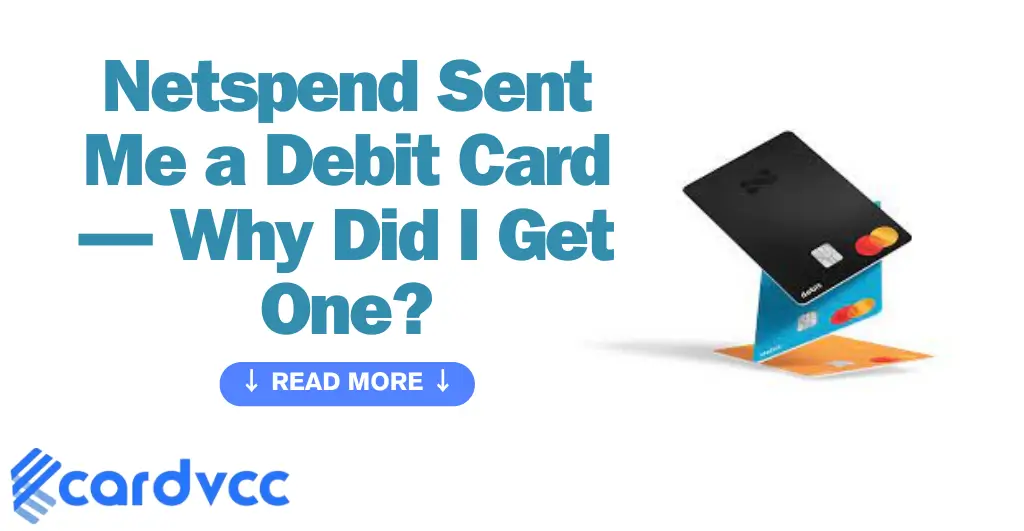
Is it really worth using? You might have questions about fees, benefits, or how it fits into your financial life. This article will break down everything you need to know, so you can decide if this card is the right move for you.
Netspend Card Basics
Netspend cards offer a simple way to manage money without a traditional bank account. They work like prepaid debit cards. You load money onto the card and use it for purchases or cash withdrawals. This section explains the basics of Netspend cards to help you understand their features and benefits.
What Is Netspend
NetSpend is a company that provides prepaid debit cards. These cards let you spend money without a bank account. You add money to the card from different sources. Then, you use the card to shop or withdraw cash. It works like a regular debit card but is easier to get.
Types Of Netspend Cards
NetSpend offers several types of prepaid cards. Some cards are for everyday spending. Others focus on special uses like payroll or government benefits. Each card has different fees and features. You can choose the card that fits your needs and budget.
How To Get A Card
Getting a Netspend card is quick and easy. You can order a card online or buy one in stores. The application requires basic personal information. No credit check or bank account is needed. After receiving the card, activate it and add money to start using it.
Activating Your Netspend Card
Activating your Netspend card is the first step to start using it for purchases and withdrawals. The process is quick and simple. You can complete it in a few minutes and then enjoy your card’s benefits.
Follow the steps carefully to avoid delays. Activation ensures your card is secure and ready for use.
Step-by-step Activation
Call the phone number provided with your card. You will need your card number and personal details. Follow the voice prompts to enter your information. Confirm your details and set up a PIN if asked. Once done, your card will activate immediately. You can also activate online by visiting the Netspend website. Log in or create an account to start activation. Enter your card details and follow the on-screen instructions. Activation usually takes a few minutes to complete.
Common Activation Issues
Incorrect card number entry can cause activation failure. Make sure you enter the number exactly as it appears. Personal information must match what you provided during signup. Activation may fail if the card is damaged or expired. Some users face issues due to poor phone connections. Try a different phone or use online activation instead. If problems continue, contact Netspend customer support for help.
Where To Activate
You can activate your Netspend card by phone or online. Phone activation is available 24/7 using the toll-free number. Online activation is done through the official Netspend website. Use a secure internet connection for online activation. Avoid activating public computers for safety. After activation, your card is ready to use at stores, ATMs, and online merchants.

Using Your Netspend Debit Card
Using your Netspend debit card is simple and convenient. This card gives you easy access to your money. You can use it for many daily activities. Spend with confidence and control your funds easily.
Making Purchases
Use your Netspend card to pay at stores. Just swipe or insert your card at checkout. You can also use it for contactless payments. It works anywhere debit cards are accepted. Keep track of your balance to avoid declined transactions.
Atm Withdrawals
Withdraw cash from ATMs using your card. Look for ATMs that accept Visa or Mastercard. Some ATMs may charge a fee. Check your balance before withdrawing. Use your PIN for secure access at the ATM.
Online Transactions
Shop online safely with your Netspend debit card. Enter your card number, expiration date, and security code. Use your billing address as registered with Netspend. Monitor your account for any unusual activity after shopping.
Managing Your Account
Managing your Netspend debit card account is simple and secure. It helps you control your money and keep track of spending. Regular account management ensures you always know your balance and can add funds easily. Alerts keep you updated on important activity. Here are the key steps to manage your account effectively.
Checking Your Balance
Know your balance anytime to avoid overspending. Use the Netspend app or website to check your balance quickly. You can also call customer service for balance details. Checking your balance often helps you stay within your budget.
Reloading Funds
Add money to your card in many ways. Transfer from a bank account or deposit cash at participating stores. You can also receive direct deposits like paychecks. Reloading funds keeps your card ready for purchases and payments.
Setting Up Alerts
Alerts notify you about your account activity. Set alerts for low balance, deposits, or purchases. Receive alerts by text or email. Alerts help you spot any unusual activity early and manage your funds better.
Fees And Limits
Getting a Netspend debit card means knowing about fees and limits. These rules help you manage your money better. Understanding fees and limits keeps your spending clear and avoids surprises.
Common Fees Explained
NetSpend charges some fees for card use. The activation fee is a one-time cost to start your card. A monthly fee applies if you don’t meet certain requirements. ATM withdrawals often have fees, especially out of network. Reloading money may cost a small fee, depending on the method.
Spending And Withdrawal Limits
Netspend sets limits on daily spending and withdrawals. You can spend only up to a set amount each day. ATM withdrawals also have a daily limit. These limits protect your money and reduce fraud risk. Limits vary by card type and account status.
Avoiding Extra Charges
Use in-network ATMs to avoid withdrawal fees. Reload your card through free or low-cost methods. Check your balance often to stay within limits. Avoid overdrafts by not spending more than your balance. Following these tips saves you money and stress.

Security Features
NetSpend debit cards come with strong security features. These features help keep your money safe. You can spend with confidence knowing your card is protected.
Protecting Your Card
Keep your card in a safe place. Do not share your card number or PIN with others. Use secure websites for online purchases. Check your account regularly for unusual activity.
Reporting Lost Or Stolen Cards
Call Netspend immediately if your card is lost or stolen. Quick reporting stops others from using your money. Netspend can block your card to prevent fraud. Request a new card to replace the old one.
Fraud Prevention Tips
Never give your card details over the phone unless you trust the caller. Use strong and unique PINs. Avoid using public Wi-Fi for banking. Set up alerts to track transactions on your card.
Benefits And Drawbacks
Getting a Netspend debit card brings both good and not-so-good points. Knowing these helps you decide if the card fits your needs. This section breaks down the main benefits and drawbacks of the card clearly.
Advantages Of Netspend Cards
NetSpend cards work like regular debit cards but with some extras. You can use them almost anywhere debit cards are accepted. They offer fast access to your money without a bank account. The card allows direct deposit, so your paychecks go straight to it. You can track spending through a simple app or website. No credit check is needed to get the card. It helps people build money habits without risking overdrafts. Reloading money is easy at many stores or online.
Potential Downsides
NetSpend cards have fees that may add up. Monthly fees, ATM withdrawals, and reloading money often cost extra. Some users find the fees higher than traditional bank cards. Interest or rewards are not part of the card perks. Customer service may take time to respond. The card is not a full bank account replacement. Limits on transaction amounts may restrict heavy users. It may not be the best choice for people with simple banking needs.
Who Should Use Netspend
People without bank accounts find Netspend useful. It suits those who want quick money access and control. Users needing a prepaid card for budgeting benefits, too. It fits individuals with poor or no credit history. Those who want to avoid overdraft fees may prefer it. It helps users who receive government payments or paychecks by direct deposit. Netspend is good for people who want a simple way to manage funds without a bank.

Frequently Asked Questions of Netspend Sent Me a Debit Card
What Is The Purpose Of The Netspend Debit Card?
How Do I Activate My Netspend Debit Card?
Can I Load Money Onto The Netspend Card?
Are There Fees Associated With The Netspend Debit Card?
Conclusion
Getting a Netspend debit card is simple and fast. You can use it to pay bills, shop online, and withdraw cash. It works like a regular debit card but without a bank account. You control your spending and reload money when needed.