
The Optimum Debit Card is a prepaid or bank-linked payment card issued in connection with Optimum (Altice USA) services that lets users make purchases, pay bills, and redeem rewards directly from their available balance.
Optimum issues these cards as prepaid Visa or Mastercard rewards for promotions, refunds, or loyalty incentives. Cardholders can use them online, in stores, or at ATMs wherever the card network is accepted. To activate your card or check your balance, visit the Optimum Prepaid Card Redemption Center at optimum.myprepaidcenter.com.
TL;DR: The Optimum Debit Card is primarily a prepaid reward card tied to Optimum (Altice USA) promotions. This guide covers how to activate and redeem your card, check your balance, pay your Optimum bill with a debit card, understand fraud protections under Regulation E, and maximize every dollar on your card. If you received a prepaid Optimum card or want to use a personal debit card for Optimum payments, everything you need is here.
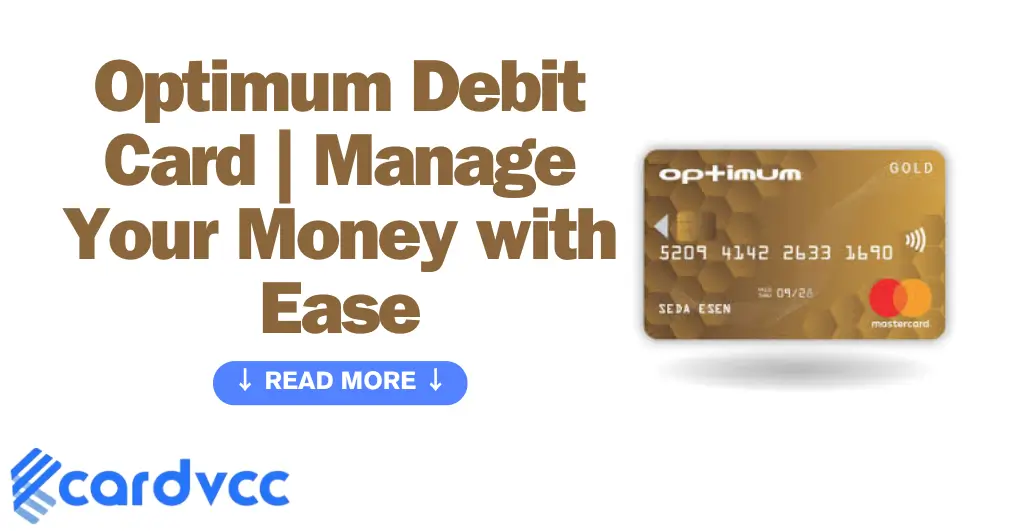
This guide draws on analysis of Optimum’s official payment portal, prepaid card redemption systems, and federal consumer finance regulations — reviewed for accuracy as of 2025. Whether you just received a prepaid Optimum Visa card in the mail or you want to use your personal debit card to pay your Optimum bill, the information below covers both scenarios in full detail.
- Optimum Debit Card (Prepaid Reward Card)
- A prepaid Visa or Mastercard issued by Optimum (Altice USA) as part of promotional offers, refunds, or loyalty programs. The card holds a fixed balance and can be used wherever the corresponding card network is accepted.
- Debit Card (General)
- A payment card linked directly to a checking or savings account. Funds are deducted immediately upon purchase. Debit cards are protected under Regulation E of the Electronic Fund Transfer Act, which differs from the credit card protections under Regulation Z.
- Auto Pay
- A bill payment feature offered by Optimum that automatically charges your bank account or debit/credit card on your due date each billing cycle, helping you avoid late fees.
Table of Contents
- What Is the Optimum Debit Card?
- How to Activate and Redeem Your Optimum Prepaid Card
- How to Check Your Optimum Debit Card Balance
- Ways to Pay Your Optimum Bill with a Debit Card
- Features of the Optimum Debit Card
- Security and Fraud Protection for Debit Card Users
- Optimum Debit Card vs. Other Prepaid Reward Cards
- Managing Your Optimum Debit Card Online and via the App
- Tips for Maximizing Your Optimum Debit Card Benefits
- Common Issues and How to Resolve Them
- Sources & References
- Frequently Asked Questions
What Is the Optimum Debit Card?
The Optimum Debit Card is a prepaid reward card distributed by Optimum, the consumer brand of Altice USA, one of the largest cable and internet providers in the United States. Optimum issues these cards — typically Visa or Mastercard branded — as incentives for new customer sign-ups, service upgrades, or promotional rebates.
“Prepaid cards let you spend only the money you load onto the card or that someone else has loaded onto it. They are not connected to a bank account.”
Unlike a traditional debit card linked to a checking account, the Optimum prepaid card comes preloaded with a set dollar amount. Think of it like a gift card with the spending power of a Visa or Mastercard — you can use it at millions of merchants, but once the balance runs out, the card is done.
Many people confuse the Optimum prepaid reward card with a standard bank-issued debit card. The distinction matters. A standard debit card draws from your bank balance and can be reloaded indefinitely. The Optimum card holds a fixed promotional amount — typically ranging from $50 to $300 depending on the offer — and cannot be reloaded.
If you ever notice an unfamiliar charge from a telecom-related service, it helps to understand how billing descriptors work. For instance, mysterious “Yourpfi Us” charges on debit cards often trace back to legitimate payment processors used by service providers.
How to Activate and Redeem Your Optimum Prepaid Card
Activating your Optimum prepaid card takes less than five minutes through the official redemption portal. Every Optimum promotional card must be activated before you can spend the balance. Here is the step-by-step process:
- Visit the redemption center. Go to optimum.myprepaidcenter.com — this is the official portal managed by Optimum’s prepaid card partner.
- Enter your card details. Type in the 16-digit card number printed on the front and the 3-digit CVV/security code from the back.
- Verify your identity. Some cards require you to enter the last four digits of your Social Security number or the ZIP code on file with your Optimum account.
- Set your PIN. If the card supports ATM withdrawals or PIN-based debit transactions, create a four-digit PIN during activation.
- Confirm activation. You will see a confirmation screen showing your available balance. The card is now ready to use.
Expert insight: Many people believe they can skip activation and simply swipe the card. That does not work. Unactivated cards are declined at point of sale. If your card was mailed to you, activate it the day you receive it — promotional cards often have expiration dates, and the clock starts ticking from the issue date, not the activation date.
If you received a redemption code instead of a physical card, enter that code at the same portal. The system will generate a virtual card number you can use for online purchases. For those interested in virtual card options more broadly, our guide to the 10 best virtual credit card apps in the USA covers several useful alternatives.
How to Check Your Optimum Debit Card Balance
You can check your Optimum Debit Card balance instantly through three methods. Knowing your exact remaining balance prevents declined transactions and helps you plan purchases precisely.
- Online portal: Visit optimum.myprepaidcenter.com, enter your 16-digit card number and CVV, then click “Check Balance.” There is no fee for balance inquiries.
- Phone: Call the customer service number printed on the back of your card. An automated system reads your balance after you enter your card number.
- At the register: Ask a cashier to check the available balance before completing your purchase. Most retailers can run a balance inquiry on prepaid Visa and Mastercard cards.
“Consumers should regularly monitor all payment card balances and transaction histories to detect unauthorized activity promptly.”
What most guides don’t mention: Prepaid cards can show a slightly lower available balance than expected because some merchants place temporary authorization holds. Gas stations, for example, commonly place a $50–$100 hold even if you only pump $30 worth of fuel. The hold typically clears within one to three business days, but in the meantime, those funds appear unavailable.

Ways to Pay Your Optimum Bill with a Debit Card
Optimum accepts debit cards as a payment method across all of its billing channels. Whether you prefer the convenience of automatic payments or one-time manual transactions, your debit card works everywhere Optimum takes payment. Here are your options:
- Auto Pay: Link your debit card to your Optimum account and your bill is charged automatically on the due date each month. Auto Pay takes effect the next billing cycle after enrollment. To avoid late fees on your current balance, make a one-time payment before Auto Pay kicks in.
- My Optimum App: Download the app, sign in, and tap “Pay Bill.” Enter your debit card number or select a saved card. The app also lets you manage WiFi settings, run speed tests, and chat with support 24/7.
- Optimum.net: Log in at optimum.net, navigate to “Ways to Pay,” and submit a one-time debit card payment.
- Phone payment: Call Optimum’s automated payment line and follow the prompts to pay by debit card.
- In person: Visit an Optimum retail store and pay with your debit card at the counter.
“Make sure your bill gets paid on time with Auto Pay or choose your payment method to pay your bill at your convenience.”
Protect yourself from bill payment scams. Optimum will never ask you to pay your bill using gift cards, cryptocurrency, or wire transfers. If someone calls claiming to be from Optimum and requests payment through unusual methods, hang up and contact Optimum directly. Late payments may result in service interruption and additional fees, so setting up Auto Pay with a debit card is the simplest way to stay current.
A key difference for debit card users: when you pay with a debit card, the funds leave your bank account immediately. With a credit card, you have a billing grace period. Plan accordingly — make sure your checking account has sufficient funds on your Optimum due date to avoid overdraft charges from your bank.
Features of the Optimum Debit Card
The Optimum Debit Card combines the flexibility of a major card network with the controlled spending of a prepaid product. Here are the core features that define this card:
Card Types and Networks
Optimum issues prepaid reward cards on both the Visa and Mastercard networks. The specific network depends on the promotion. Both types work at millions of merchants worldwide — in stores, online, and at ATMs (if PIN-enabled). Virtual card versions exist for redemption-code-based offers, allowing immediate online use without waiting for a physical card.
Transaction Capabilities
The card supports:
- In-store swipe and chip transactions
- Contactless (tap-to-pay) purchases at NFC-enabled terminals
- Online shopping with any merchant that accepts Visa or Mastercard
- PIN-based debit purchases at supported retailers
- ATM cash withdrawals (card-specific — not all Optimum cards support this)
Spending and Withdrawal Limits
The maximum you can spend equals the preloaded balance on the card. There are no daily spending limits beyond the available balance itself. ATM withdrawal limits, when applicable, typically cap at $500 per day. The card cannot be reloaded once the balance is exhausted.
“Some prepaid cards charge fees for ATM withdrawals, balance inquiries, or inactivity. Always review the card’s fee schedule before use.”
Security and Fraud Protection for Debit Card Users
Debit cards — including prepaid ones like the Optimum card — carry different fraud protections than credit cards. Understanding these differences protects your money.
Regulation E vs. Regulation Z
Federal law treats debit and credit cards differently when fraud occurs. Credit cards fall under Regulation Z (Truth in Lending Act), which caps your liability at $50 for unauthorized charges. Debit cards fall under Regulation E (Electronic Fund Transfer Act), which offers weaker protection:
- Report within 2 business days: Your maximum liability is $50.
- Report after 2 but within 60 days: Liability rises to $500.
- Report after 60 days: You could lose all the money taken from your account.
This is why speed matters with debit card fraud. With credit cards, the money was never “yours” — it’s the issuer’s credit line. With debit cards, the cash is gone from your bank account immediately, and recovery can take days to weeks.
Security Features on the Optimum Card
The Optimum prepaid card includes:
- EMV chip technology for in-person transactions
- A unique CVV code for online purchases
- Card network zero-liability policies (Visa’s Zero Liability Policy and Mastercard’s Zero Liability Protection cover unauthorized transactions when reported promptly)
- The ability to freeze or report the card through the issuing partner’s portal
If you notice a suspicious charge on any debit card — whether from Optimum or elsewhere — report it immediately. For example, unfamiliar charges like a “Spred” charge on your debit card should always be investigated and disputed with your card issuer if unauthorized.

Optimum Debit Card vs. Other Prepaid Reward Cards
How does the Optimum Debit Card stack up against similar prepaid reward cards from other companies? The comparison below highlights the key differences.
| Feature | Optimum Prepaid Card | OmniCard (Visa/Mastercard) | Netspend Prepaid |
|---|---|---|---|
| Card Type | Prepaid reward (Visa or Mastercard) | Prepaid reward (Visa or Mastercard) | Reloadable prepaid |
| Reloadable | No | No | Yes |
| Monthly Fee | None | None | Varies ($0–$9.95/month) |
| Inactivity Fee | May apply after 6–12 months | May apply after 6–12 months | May apply |
| ATM Access | Select cards only | Typically not supported | Yes |
| Balance Check | Free online | Free online | Free via app; fees at ATM |
| Primary Use | Promotional reward / rebate | Corporate rewards / incentives | Everyday banking alternative |
OmniCard, for instance, serves more than 5,000 corporate clients (including over 25% of the Fortune 500) for employee rewards and incentive programs. The Optimum card is narrower in scope — it exists specifically for Optimum’s promotional ecosystem. If you need a reloadable everyday debit card, a product like Netspend is more appropriate. Curious about Netspend fees? Our breakdown of whether Netspend charges a monthly fee covers everything.
“Before choosing any prepaid card, consumers should compare fee schedules, including activation fees, transaction fees, ATM fees, and inactivity fees.”
Managing Your Optimum Debit Card Online and via the App
The My Optimum app and web portal at optimum.net are the primary tools for managing your Optimum account and associated payment cards. Even though the prepaid reward card itself is managed through myprepaidcenter.com, your broader Optimum billing — which you might pay with a personal debit card — lives in the Optimum ecosystem.
My Optimum App Features
The all-in-one app gives you:
- Bill payment: Pay your Optimum bill with a debit card, credit card, or bank account in seconds.
- Auto Pay management: Enroll in, modify, or cancel automatic payments.
- WiFi management: View and update your network name and password, troubleshoot connectivity, and run speed tests.
- 24/7 live chat: Get support without picking up the phone.
- Outage detection: Check whether service disruptions affect your area.
Online Account Access
Log in at optimum.net to view your billing history, download statements, update payment methods, and manage service details. The portal is available 24/7 and works on any browser.
Setting Up Alerts
Enable notifications for payment due dates, successful payments, and unusual account activity. You can choose email, SMS, or push notifications through the app. These alerts act as an early warning system — catching billing issues before they become late payments.
Lost or Stolen Card Procedures
If your Optimum prepaid card is lost or stolen, call the customer service number on the back of the card immediately. You can also report it through the myprepaidcenter.com portal. For your personal debit card used for Optimum payments, contact your bank to freeze the card and dispute any unauthorized charges. If someone notices an unfamiliar charge like “G2abvshop” on their debit card, the same urgency applies — report it fast.

Tips for Maximizing Your Optimum Debit Card Benefits
Getting the full value from your Optimum Debit Card requires a few strategic moves. Most cardholders leave money on the table by ignoring expiration timelines and partial-balance spending.
Spend the Full Balance Before Expiration
Optimum prepaid cards carry an expiration date, and many charge inactivity fees after six to twelve months of non-use. The best strategy is simple: use the card within 30 days of receiving it. Don’t let it sit in a drawer.
Use It for Exact-Amount Purchases
When your card balance drops below $10, most stores won’t let you split the payment easily. Shop online instead — e-commerce sites typically let you pay the remaining card balance and cover the rest with another payment method. Amazon, for example, allows “split payment” by entering the prepaid card first and then a backup card for the remaining amount.
Avoid Gas Station Pre-Authorization Holds
Gas pumps place authorization holds that can temporarily lock up $50–$100 of your balance. If your card balance is $75, a $100 hold could cause a decline even though you only want $30 of fuel. Instead, pay inside the station and request a specific dollar amount.
Track Every Transaction
Check your balance after each purchase through the online portal. Prepaid cards don’t connect to your regular bank app, so transaction tracking requires an extra step. Staying on top of this prevents the unpleasant surprise of a declined card at checkout.
“Fees can vary widely between prepaid cards. Some charge for each purchase, each ATM withdrawal, or after a period of inactivity.”
Common Issues and How to Resolve Them
Even straightforward prepaid cards can cause headaches. Here are the most common problems Optimum Debit Card users face — and exactly how to fix each one.
Card Declined Despite Having a Balance
This usually happens for one of three reasons:
- The card is not activated. Visit optimum.myprepaidcenter.com to activate.
- An authorization hold is tying up funds. Wait 1–3 business days for the hold to release, or call the card issuer to inquire.
- The purchase exceeds the remaining balance. Ask the merchant to charge only the remaining amount.
Card Never Arrived in the Mail
If your promotional card hasn’t arrived within 2–3 weeks of enrollment, contact Optimum customer support directly. Provide your account number and the promotion you signed up for. They can reissue the card or provide a digital redemption code.
Unable to Use the Card Online
Some online merchants require a billing address on file for prepaid cards. During activation, register your home address as the billing address. If you skip this step, online transactions may be declined due to address verification (AVS) mismatches.
Forgotten PIN
If you set a PIN during activation and forget it, call the customer service number on the card back. You can reset the PIN over the phone after identity verification. In the meantime, run the card as “credit” (signature-based) instead of “debit” (PIN-based) to continue making purchases.
Sources & References
Frequently Asked Questions
What is the Optimum Debit Card?
The Optimum Debit Card is a prepaid Visa or Mastercard reward card issued by Optimum (Altice USA) as part of promotional offers, rebates, or loyalty programs. It comes preloaded with a set dollar amount and can be used anywhere the card network is accepted — in stores, online, and at ATMs if PIN-enabled. It is not a traditional bank-linked debit card and cannot be reloaded once the balance is spent.
How do I activate my Optimum prepaid card?
Go to optimum.myprepaidcenter.com and enter your 16-digit card number and CVV code from the back of the card. Follow the on-screen prompts to verify your identity and set a PIN if applicable. Activation takes less than five minutes. The card cannot be used until this step is completed.
How do I check my Optimum Debit Card balance?
Visit optimum.myprepaidcenter.com and enter your card number and CVV to see your current balance instantly. You can also call the customer service number on the back of the card for an automated balance check. There is no fee for checking your balance online. Remember that temporary authorization holds from merchants can reduce your available balance temporarily.
Can I use my Optimum prepaid card internationally?
Yes, you can use the card anywhere Visa or Mastercard is accepted worldwide. However, foreign transaction fees may apply depending on the card’s terms and conditions. Check the fee schedule included with your card or available on the redemption portal before making international purchases.
Can I pay my Optimum bill with a personal debit card?
Yes. Optimum accepts personal debit cards for bill payment through Auto Pay, the My Optimum app, the optimum.net website, by phone, and in person at retail stores. Setting up Auto Pay with your debit card ensures your bill is paid automatically each month on your due date, helping you avoid late fees and service interruptions.
What should I do if my Optimum prepaid card is declined?
First, confirm the card has been activated at optimum.myprepaidcenter.com. Next, check your available balance — a temporary authorization hold from a previous merchant may have reduced it. If the purchase amount exceeds your remaining balance, ask the retailer to charge only the available amount. For online purchases, make sure your registered billing address matches what the merchant has on file.
Does the Optimum Debit Card charge any fees?
The card has no monthly maintenance fees or activation fees. However, some Optimum prepaid cards may charge inactivity fees if the card goes unused for an extended period, typically six to twelve months. ATM withdrawal fees may also apply at out-of-network machines. Always review the cardholder agreement that comes with your card for the complete fee schedule.
Conclusion
The Optimum Debit Card is a practical, no-fee prepaid reward card that gives Optimum customers immediate spending power from promotional offers and rebates. Activate it promptly, use it before the expiration date, and track your balance through the online portal to get every penny of value. For ongoing Optimum bill payments, linking your personal debit card through Auto Pay remains the most reliable way to stay current and avoid late fees.
Whether you’re redeeming a promotional card or managing your monthly Optimum bill with a debit card, the tools are straightforward — optimum.myprepaidcenter.com for your prepaid card, and the My Optimum app for everything else. Use the strategies in this guide to manage your money with ease and keep your financial life running smoothly.