
The Truist Debit Card is a convenient, secure, and modern way to manage your money with one of America’s leading financial institutions — Truist Bank. Whether you’re making everyday purchases, withdrawing cash, or managing digital payments, the Truist Debit Card combines accessibility with robust financial tools.
In this comprehensive guide, we’ll explore everything you need to know about the Truist Debit Card — including how to get one, key benefits, how to use it effectively, security features, and answers to common questions.
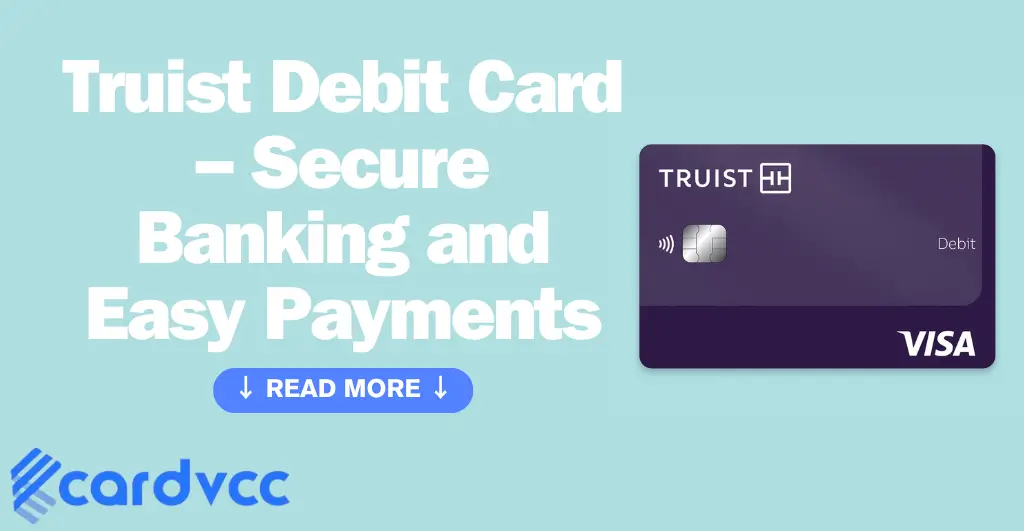
What is a Truist Debit Card?
A Truist Debit Card is a payment card linked directly to your checking account at Truist Bank. It lets you make purchases, pay bills, and withdraw cash from ATMs, all while deducting funds directly from your account balance.
It’s accepted worldwide wherever Visa or Mastercard is recognized, making it perfect for daily spending, online shopping, or travel.
How to Get a Truist Debit Card
Getting your Truist Debit Card is a straightforward process. You can apply when opening a new Truist checking account or request one for an existing account.
Steps to Apply:
- Open a Truist Checking Account – You can do this online or by visiting a local Truist branch.
- Request a Debit Card – During account setup, choose to receive a debit card.
- Wait for Delivery – Your new Truist Debit Card typically arrives within 7–10 business days.
- Activate Your Card – You can activate it online, through the Truist mobile app, or by calling customer service.
Once activated, your Truist Debit Card is ready to use immediately.
Key Features of the Truist Debit Card
The Truist Debit Card offers several features that make managing your finances easy and secure:
1. Contactless Payments
Use tap-to-pay technology for quick, safe, and touch-free transactions at millions of locations.
2. ATM Access
Withdraw cash or deposit funds at thousands of Truist ATMs across the U.S., often with no fees.
3. Truist Mobile App Integration
Manage your debit card, view balances, track spending, and control your card settings directly from the Truist app.
4. Zero Liability Protection
With Visa or Mastercard protection, you won’t be held responsible for unauthorized purchases made with your Truist Debit Card.
5. Instant Issue Cards
Some Truist branches can provide a replacement card on the spot if yours is lost or stolen.

Benefits of Using the Truist Debit Card
The Truist Debit Card goes beyond basic transactions — it offers a range of benefits designed to make your financial life smoother.
Convenience
Use your card for everything — from groceries to subscriptions — without carrying cash.
Budget Control
Since funds are deducted directly from your account, it’s easier to track spending and stick to a budget.
Global Acceptance
Your Truist Debit Card can be used anywhere Visa or Mastercard is accepted, including online and international merchants.
Digital Wallet Compatibility
Add your card to Apple Pay, Google Pay, or Samsung Pay for seamless mobile payments.
Enhanced Security
Real-time fraud alerts, card locking options, and EMV chip technology protect your account from unauthorized access.
How to Activate and Manage Your Truist Debit Card
Once you receive your card, you’ll need to activate it before use.
Activation Methods:
- Online: Visit the Truist website and follow the activation link.
- Mobile App: Log in to the Truist app and activate your card instantly.
- Phone: Call the number on the sticker attached to your new card.
- ATM: Insert your card into a Truist ATM and follow the prompts.
After activation, set up alerts and controls in your Truist app to monitor spending and manage security preferences.
Using Your Truist Debit Card Online and In-Store
Your Truist Debit Card can be used both physically and digitally:
- In-store: Swipe, insert, or tap to pay using EMV or contactless technology.
- Online: Enter your card details during checkout for secure e-commerce transactions.
- Recurring payments: Set up automatic payments for subscriptions or bills directly from your checking account.
Truist’s fraud detection system continuously monitors transactions to ensure your safety while shopping.
Lost or Stolen Truist Debit Card
If your Truist Debit Card is lost, stolen, or compromised:
- Lock your card immediately using the Truist app.
- Report the incident to Truist customer support at 844-4TRUIST (844-487-8478).
- Request a replacement card.
- Monitor your account for any unauthorized transactions.
Truist’s fraud team will help secure your funds and issue a new card promptly.
Truist Debit Card Fees
While the Truist Debit Card is free to use for most transactions, some fees may apply:
| Type | Fee | Details |
|---|---|---|
| ATM Withdrawals | Free at Truist ATMs | Fees may apply at non-Truist ATMs |
| Replacement Card | Possible fee | Depending on delivery speed |
| Foreign Transactions | 3% | Of each transaction in U.S. dollars |
| Overdraft Protection | Optional | Fees apply if overdraft service is enabled |
Always review your account agreement for the most current fee schedule.

Security and Fraud Protection
The Truist Debit Card includes robust security measures to keep your money safe:
- EMV Chip Technology: Protects against counterfeit fraud.
- Real-Time Alerts: Get instant notifications for every transaction.
- Card Lock Feature: Freeze and unfreeze your card anytime.
- Zero Liability Guarantee: You’re not responsible for unauthorized charges.
Truist also employs AI-driven fraud detection, continuously analyzing transactions to spot suspicious activity before it affects you.
How to Replace or Renew Your Truist Debit Card
Your Truist Debit Card typically expires every few years, and Truist automatically sends a replacement before that date.
If your card is damaged, stolen, or lost, you can:
- Request a new one via the Truist app or website
- Visit your nearest Truist branch for same-day replacement
- Call customer support for expedited delivery
Troubleshooting Common Issues
Card Declined:
Check your balance or ensure the merchant accepts Visa/Mastercard.
ATM Error:
Use a Truist ATM or confirm the machine accepts your network.
Unauthorized Charge:
Report it immediately — you’re protected by Truist’s Zero Liability Policy.
Tips for Using Your Truist Debit Card Safely
- Set up transaction alerts for every purchase.
- Avoid using public Wi-Fi when managing your bank account.
- Enable two-factor authentication for extra login security.
- Regularly review your bank statements.
- Lock your card instantly if anything looks suspicious.

FAQs about Truist Debit Card
How do I activate my Truist Debit Card?
Can I use my Truist Debit Card internationally?
What should I do if I lose my Truist Debit Card?
Does Truist offer virtual debit cards?
Conclusion
The Truist Debit Card offers unmatched convenience, flexibility, and security for managing your finances. From contactless payments to mobile controls and 24/7 fraud protection, it’s an ideal tool for anyone looking for a modern banking experience.
Whether you’re shopping, traveling, or paying bills, your Truist Debit Card gives you easy access to your money — anytime, anywhere.